
%201.svg)
How to Create a Video Advertisement Using Gan.AI

Video advertising has become one of the most powerful ways to capture attention, tell stories, and drive conversions in today’s digital‑first world. With shrinking attention spans and increasing competition across platforms, video ads are no longer optional. They’re essential for brands that want to stand out and stay relevant. However, traditional video production is often expensive, slow, and resource‑heavy, requiring cameras, actors, studios, editors, and long turnaround times. This is exactly where AI steps in and reshapes the entire process.
Gan.AI transforms the way brands, creators, and businesses approach ai advertising by offering a modern, intuitive, and highly scalable solution built for speed and efficiency. Whether you’re looking for a free ai video ad generator to experiment with ideas, a fast advertising video maker to launch campaigns quickly, or a professional‑grade video ad creator to scale performance marketing, Gan.AI makes it possible. It empowers teams to produce high‑impact, conversion‑ready video ads without cameras, studios, technical editing skills, or heavy production costs.
In this detailed guide, you’ll learn how to create a video ad using Gan.AI. Right from shaping the initial idea and crafting a compelling script to building scenes, selecting AI avatars, and exporting a finished ad. Along the way, you’ll see how AI helps save time, reduce production expenses, maintain brand consistency, and significantly improve advertising performance across channels.
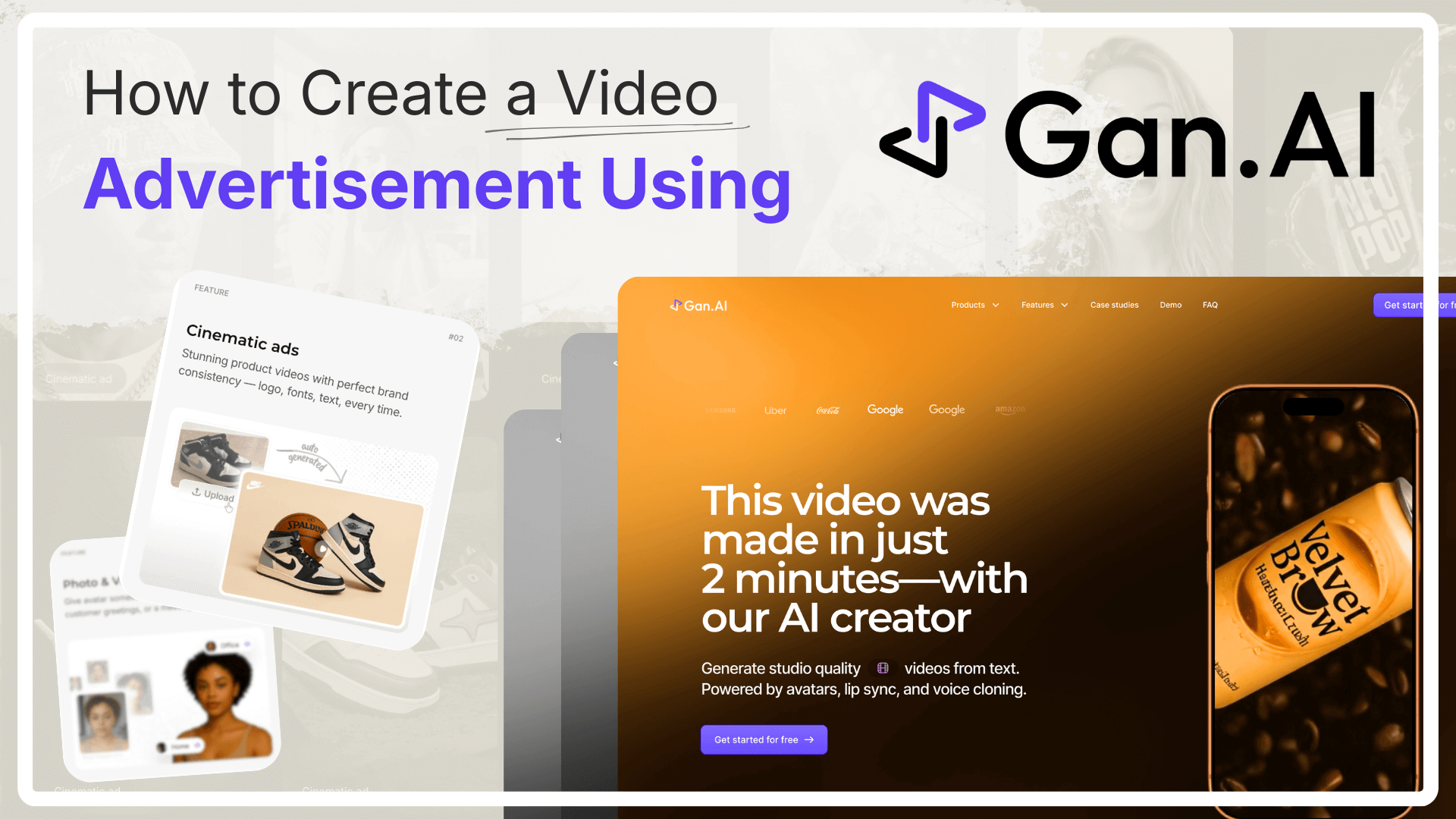
What is Gan.AI and Why Use It for Video Advertising?
Gan.AI is an AI‑powered platform built to simplify video creation using avatars, text‑to‑video workflows, and intelligent automation. Instead of manually filming or editing, users can generate professional ads by simply providing scripts, prompts, or product inputs.
Gan.AI functions as:
- A free ai ad video generator for getting started quickly
- A scalable ai video ad maker for teams and agencies
- A modern advertising video creator for digital‑first brands
It’s designed for speed, consistency, and performance. Thus, making it ideal for paid ads, social media campaigns, product launches, and brand storytelling.
How To Make Video Ads Using Gan.AI
Step 1: Define Your Advertising Goal
Before opening any video ad generator, clarity is absolutely crucial. A well-defined objective sets the foundation for everything that follows—from scriptwriting and visuals to pacing and call‑to‑action. Taking a few minutes to think strategically before you start can significantly improve the effectiveness of your final ad. Ask yourself:
- Is this ad meant for awareness, conversions, or retargeting?
- Which platform will it run on (Instagram, YouTube, LinkedIn, websites)?
- Who is the target audience, and what problem or desire are you addressing?
When these questions are clearly answered, Gan.AI’s workflows can deliver far better outputs. Clear goals help the platform align visuals, messaging, and tone—whether you’re creating a short, scroll‑stopping social ad or a longer explainer designed to educate and convert.
Step 2: Choose the Right Video Ad Format
Gan.AI supports multiple ad formats, making it a highly flexible advertisement maker for a wide range of business goals and marketing use cases. Whether you’re running performance campaigns, building brand awareness, or launching a new product, Gan.AI allows you to choose the format that best matches your objective and distribution channel.
- Product ads for ecommerce, showcasing features, benefits, and offers
- Brand ads for startups and enterprises focused on storytelling and positioning
- Explainer videos for SaaS to clearly communicate value propositions
- UGC‑style ads for social media that feel native, authentic, and engaging
- Vertical ads for reels and shorts optimized for mobile‑first platforms
Selecting the right format early in the process ensures your video ad creator stays aligned with platform specifications, creative best practices, and audience expectations. It also helps streamline the production workflow, resulting in more effective and better‑performing video advertisements.
Step 3: Write or Generate Your Ad Script
A strong script is the backbone of any successful ad. No matter how advanced the visuals or how polished the delivery, the message itself determines whether viewers stay, engage, and take action. With Gan.AI, script creation becomes faster, more flexible, and far less intimidating—even for non‑writers. You can:
- Write your own script from scratch based on your campaign goal
- Use prompts to generate scripts automatically using AI
- Convert existing copy, blogs, or ad text into video‑ready scripts
When crafting your script, it’s important to think from the viewer’s perspective and keep the message concise yet persuasive. Your script should:
- Hook viewers in the first 3 seconds to stop the scroll
- Address a clear pain point, desire, or opportunity your audience relates to
- Clearly present the value proposition and what makes your offer stand out
- End with a strong, actionable call‑to‑action that guides the next step
Getting this step right is central to how to make video ad content that converts, because a well‑structured script ensures your AI‑generated video delivers the right message, in the right tone, at exactly the right moment.
Step 4: Select an AI Avatar or Visual Style
Gan.AI allows you to choose from a wide range of AI avatars or visual formats, giving you complete creative control over how your message is delivered. This is where AI truly changes how to create AI video ad free and at scale, making it possible to add a human‑like presence to your ads without the cost, logistics, or limitations of traditional filming.
Options include:
- Professional talking‑head avatars for clear, authoritative communication
- Brand‑friendly spokespersons that align with your tone, industry, and audience
- Minimal or cinematic visual styles depending on whether you want simplicity or storytelling depth
The avatar acts as the presenter of your message—adding credibility, relatability, and human presence without filming. This approach helps brands maintain consistency across campaigns while rapidly producing multiple ad variations for testing and optimization.
Step 5: Customize Voice, Language, and Tone
Gan.AI supports multiple voices, accents, and languages, making it ideal for global ai advertising campaigns.
You can:
- Select natural‑sounding AI voices
- Adjust tone (professional, friendly, energetic)
- Localize ads for different regions
This step turns your content into a personalized advertising video creator experience.
Step 6: Preview, Edit, and Optimize
Before exporting, Gan.AI lets you preview and fine‑tune your video ad:
- Adjust pacing and transitions
- Modify scripts or visuals
- Ensure brand consistency
This editing phase is crucial to how to create a video ad that performs well across platforms.
Step 7: Export and Deploy Your Video Advertisement
Once finalized, export your ad in the required format and resolution. Gan.AI supports formats optimized for:
- Social media ads
- Websites and landing pages
- Email marketing
- Paid advertising campaigns
At this point, your ad maker for free has delivered a ready‑to‑use professional asset.
Benefits of Using Gan.AI as an AI Video Ad Maker
Using Gan.AI as your ai video ad maker offers several advantages that directly impact speed, cost, and scalability. Especially for modern, digital‑first marketing teams. By removing the friction of traditional production workflows, Gan.AI allows brands to focus more on creativity and performance rather than logistics.
- No cameras or production crews required, eliminating scheduling and coordination challenges
- Faster turnaround times, enabling you to launch campaigns in hours instead of weeks
- Lower costs compared to traditional video, making experimentation and iteration affordable
- Consistent brand messaging across all ads, formats, and markets
- Easy scaling across products, campaigns, and regions without additional production effort
Together, these benefits make Gan.AI a powerful free ai video ad generator for modern marketers who want to move fast, test more ideas, and scale high‑quality advertising without increasing complexity or budget.
FAQs or Frequently Asked Questions
Q: How to create a video ad using AI?
You can create a video ad by writing a script, selecting an AI avatar, customizing visuals, and exporting the final video using an ai video ad maker like Gan.AI.
Q: Can I use Gan.AI as a free AI ad video generator?
Yes, Gan.AI offers ways to get started and experiment, making it a practical free ai ad video generator for testing and learning.
Q: Is Gan.AI suitable for professional advertising?
Absolutely. Gan.AI is built for performance‑driven ai advertising, supporting scalable, high‑quality video ads.
Conclusion
Creating effective video advertisements no longer requires complex production setups, expensive equipment, or massive budgets that slow teams down. With Gan.AI, anyone can learn how to create a video ad using AI in a way that is fast, cost‑effective, and highly scalable. What once took weeks of planning and production can now be achieved in a fraction of the time.
Whether you’re searching for a video ad creator to launch your first campaign, an advertisement maker to scale your marketing efforts, or a modern ai advertising solution to stay competitive in crowded digital channels, Gan.AI gives you the tools to turn simple ideas into compelling, high‑quality video ads in minutes—not weeks. This speed allows brands to experiment more, iterate faster, and respond quickly to market trends.
The future of advertising is clearly AI‑driven, and Gan.AI helps you stay ahead by enabling smarter, faster, and more efficient video creation. All without compromising on quality or impact.


No Catch or Hidden Costs. Turn Ideas into Videos. Experience the Future of AI Videos Today.


based on 290+ reviews


